AI / Developer Tools / Workflow / Frontend
My thought and current workflow with AI
A practical account of migrating to Herdr, the pain points in my current AI workflow, and where I still keep humans in the loop.
My adoption with AI is actually weird, I am slow starter and late adapter.
in 2024 my friend posted our group chat where I said I still completely do manual coding and not convinced with AI to X, it got quite a number of reply and people basically calling me a dinosaur.
or that phrase, oh yeah that phrase : “He will be replaced by someone who use AI”. well fortunately after 2 years that doesn’t happened.
So with AI, I actually jump aboard when the Agentic Engineering is a thing, I don’t do the tab / autocomplete AI. My first interaction with it is using Claude Sonnet with Cursor. but am not yet fully commited/convinced. I still mostly do manual coding
But I do truly jump into Agentic Engineering when Claude Opus 4.5 launched. it is where I become convinced that it is A thing.
so my phase is actually
- Early AI adoption
- Start Using AI daily and figuring out the limit
- AI Psychosis Era
- Today phase of work with AI
Early AI Adoption
this one not that interesting actually, I rarely do agentic engineering. I mostly do it for throwaway things or something in codebase that not in the eye of end user, like dev tool.
Figuring out limit
this is where things get interesting, since I start using Claude Code on a daily basis. and start building lots of things. I build an MCP for design system, tring out FIGMA MCP, and even building my own AI Browser. but in this era I also do not yet fully convinced especially since Claude/GPT in this era seems very sucks in design and bad at using Figma MCP I have a more detailed post about this, Rough Edges in Today’s AI Agents for Frontend Development, and if you are interested you can read it there
AI Psychosis Era
actually in here nothing much change for how I work at my job. but on the personal level, I use AI too much, like too much. several month going where I spend 2 20x Claude Max account excluding the Claude Team I got from my job. I think this is a topic for anotherday
How I work now
Maybe this can also be called sober era, where I already not going crazy with AI, but also doesn’t lose all my learning.
I already convinced that Agentic Engineering is already happening and will still be how most of us works in the future. I rarely code by hand now. very rare even.
but Also, I am not 100% convinced like some people that We can have lights out software factory. where AI do most of the work and humans are out of the loop not even reviewing the code AI produced.
I think we should slow down a bit. I realize as well when I am slow down, and actually read AI code, a lot of it is still actually a slop. so nowaday I even build my own code review tool called DiffDash.
To review or not to review, that is not the question
few days ago we have viral post on X about whether or not we should still read code. I am actually amazed that there are people who bashing people that still read code.
but should we read code? I am quite old programmer where back when I learn there is this book recommended called The Pragmatic Programmer
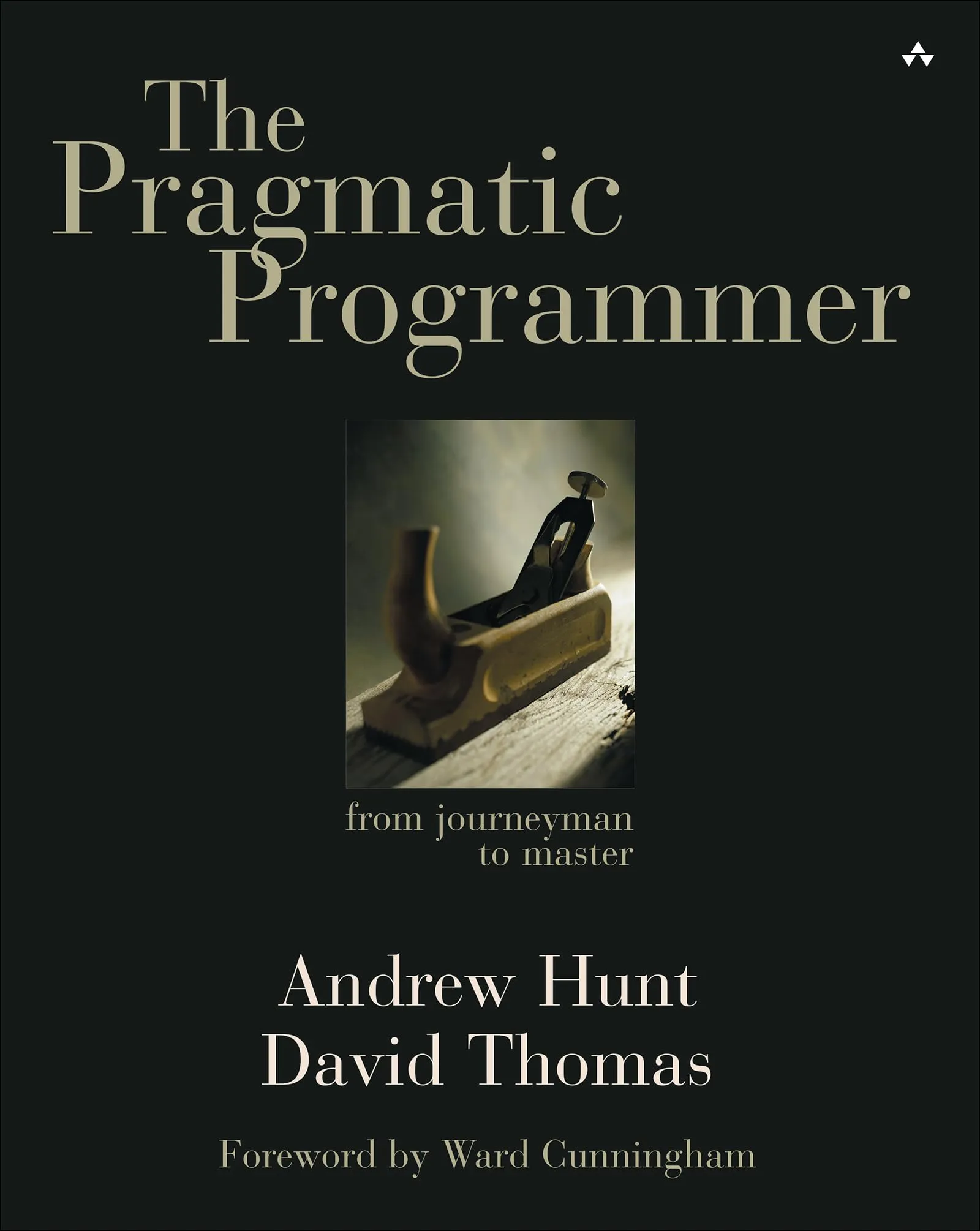
I am not gonna talk about the book content, but what I wanna say is after reading that book I am becoming more pragmatic on seeing things. regarding this reading code, my take is: read the important code, do not read all the code.
now I am not gonna tell you which code or part of your software is important. it is up to you to decide, and for the code or part of your software that is important, do read the code.
by how much we output using AI, reading all the code doesn’t make sense. it slow us down.
I build a devtool for an app in my job where people can turn on/off feature flag. I do not care about the code, I only make sure the code is separate than the app code. I just loop claude to build it while I work at my own task.
now this is actually a bit nuanced. because even though some time the code is not in the user land, you still want to read/steer the core or interface if it is something that we want to keep improve or maintain.
I think it is easier to tell with an example.
I build a video demo recording framework for the app in my job where AI can automatically seed the data and generate offline video. now there is question of how can it produce the video, using remotion, using playwright, how does an agent interact with the program that create the video? does it using and operating playwright mcp directly or some other way.
What I found is turn out, it is not only human that enjoy interacting with good API design, agent too. what I ended up doing is I build a demo framework where we can produce a video using a script. and here is example of script
export const diffDash043Story = defineStory({
  id: "diffdash-0.4.3",
  title: "DiffDash 0.4.3 Release",
  intro: {
    step: "",
    eyebrow: "DiffDash · Desktop Release",
    title: "Release 0.4.3",
    caption:
      "Sharper review navigation, clearer walkthrough paths, and the complete desktop review workflow.",
  },
  outro: {
    step: "",
    eyebrow: "DiffDash · Desktop Release",
    title: "That’s a wrap",
    caption:
      "Seven focused workflows. One place to understand every change before it ships.",
  },
  clips: [
    clip(
      "1-repository-discovery",
      {
        step: "01",
        eyebrow: "Repositories",
        title: "Find & Bookmark Repositories",
        caption:
          "Search beyond saved work and keep important repositories one click away.",
      },
      [
        click({
          button: "Remove bookmark for emberline/dispatch",
          exact: true,
        }),
        type(
          {
            placeholder: "Search bookmarked and accessible repositories",
            exact: true,
          },
          "emberline/dispatch",
        ),
        waitFor({ button: "Bookmark", exact: true }),
        annotate(
          { button: "Bookmark", exact: true },
          "Accessible repositories appear in the same search and can be saved immediately.",
          { title: "Repository discovery", placement: "left", hold: 3_200 },
        ),
        click({ button: "Bookmark", exact: true }),
        pause(1_100),
      ],
    ),
    clip(
      "2-scoped-navigation",
      {
        step: "02",
        eyebrow: "Review Navigation",
        title: "Search the Active Workspace",
        caption:
          "Go Anywhere now follows the active Files or Walkthrough sidebar.",
      },
      [
        ...openReview(),
        press(reviewActions, "Meta+k"),
        waitFor({ placeholder: "Search files", exact: true }),
        annotate(
          { placeholder: "Search files", exact: true },
          "With Files active, Go Anywhere searches only the review file inventory.",
          { title: "Active sidebar", placement: "bottom", hold: 3_000 },
        ),
        press({ placeholder: "Search files", exact: true }, "Escape"),
        click(walkthroughButton),
        waitFor({ text: "Review focus", exact: true }),
        press(walkthroughButton, "Meta+k"),
        waitFor({ placeholder: "Search walkthrough sections", exact: true }),
        annotate(
          { placeholder: "Search walkthrough sections", exact: true },
          "Switch to Walkthrough and the same shortcut searches walkthrough sections instead.",
          { title: "Scoped navigation", placement: "bottom", hold: 3_300 },
        ),
        pause(700),
      ],
    ),
    // some other clips
    clip(
      "7-local-review",
      {
        step: "07",
        eyebrow: "Local Review",
        title: "Review Before You Push",
        caption:
          "Open working-tree changes and merge-base branch comparisons from the DiffDash CLI.",
      },
      [
        release("navigation-working-tree"),
        waitFor(
          { role: "heading", name: "Local changes", exact: true },
          15_000,
        ),
        annotate(
          { role: "heading", name: "Local changes", exact: true },
          "Tracked and untracked working-tree changes open directly as a complete local review.",
          { title: "Working tree", placement: "bottom", hold: 3_100 },
        ),
        click(walkthroughButton),
        waitFor({ text: "Review focus", exact: true }),
        pause(900),
        release("navigation-branch-diff"),
        waitFor(
          { role: "heading", name: "Changes vs dev", exact: true },
          15_000,
        ),
        annotate(
          { role: "heading", name: "Changes vs dev", exact: true },
          "Branch comparisons use the merge base, so unrelated target-only changes never pollute the review.",
          { title: "Merge-base comparison", placement: "bottom", hold: 3_500 },
        ),
        raw("hold final branch review", async ({ page }) =>
          page.waitForTimeout(900),
        ),
      ],
    ),
  ],
});
I call this a story file. so a demo is consist of story + clips. you can reuse clips in another story if needed. now in my project at my job the agent maintain this stories and clips, so it can reuse what it already build. and I also add a touch to instruct it to fill the text slowly, and adding cursor.
here is example of it for DiffDash
so for things like this, I don’t really know or care the inside, I don’t care or know how we can have a cursor in a playwright video. but I DO care about the outer layer, how the API looks. because I know even agent would love to write a script in a good framework. and it did.
for a code for feature or code that I think important and there is chance I need to maintain it long term, I still read most of the code. What do I mean by most? well I sometime just skim for trivial ui or string change.
Not Convinced on Remote Agent Sandbox, but Bullish on Preview env on PR.
Now a lot of people are talking about how we should let each session of agent run in a remote sandbox so we can preview all of em while it works. so agent doesn’t step on each other toes while working.
the old AI Psychosis me would be psyched to know this. but since I now slow down I actually doesn’t care about this. I wouldn’t have the energy and attention span to manage it all anyway.
Nowaday my workflow at my job is, I always work on 1 time bound task, something that already planned or plotted and have timeline like a feature or my current task. then, I opened 2 other git worktree, one I called bugfix git worktree, one I called chore/experiment git worktree.
in a bugfix worktree I usually loop Claude to get bug from Jira and fix it, or sometime if I get assigned bug myself I would work here.
chore / experiment git worktree for me is an interesting one. so while AI do the coding, I’d usually pick a tech debt or some developer experience issue that I currently hate. the demo video I mentioned above born here.
so in short, I am not doing that much multi-tasking (in term of coding at least), I definetely only work 1 feature at a time, and I run the project / dev here.
but for bugfix, I usually instruct Claude to just open up a PR, and it will build in a vercel preview environment, and I’ll check the work there. if I found any issue I will just tell Claude to fix it again, and check when I got the time again.
Demo Video Is How I Keep Up with The Things to Review
now even though I am sure a lot of people is actually producing a lot more than me, I am still overwhelmed with how to review things.
like in bugfix, if I don’t have that PR preview, I had to change branch, and re run the project. worktree is not helping because we need to install again, copying env, lots of thing need to do before can spawn up dev server.
this is why I build the demo video framework I mentioned above. nowaday I watch and opened it a lot that I build this custom dashboard, again with just vibe coding it (because no user will see and I just use it personally)
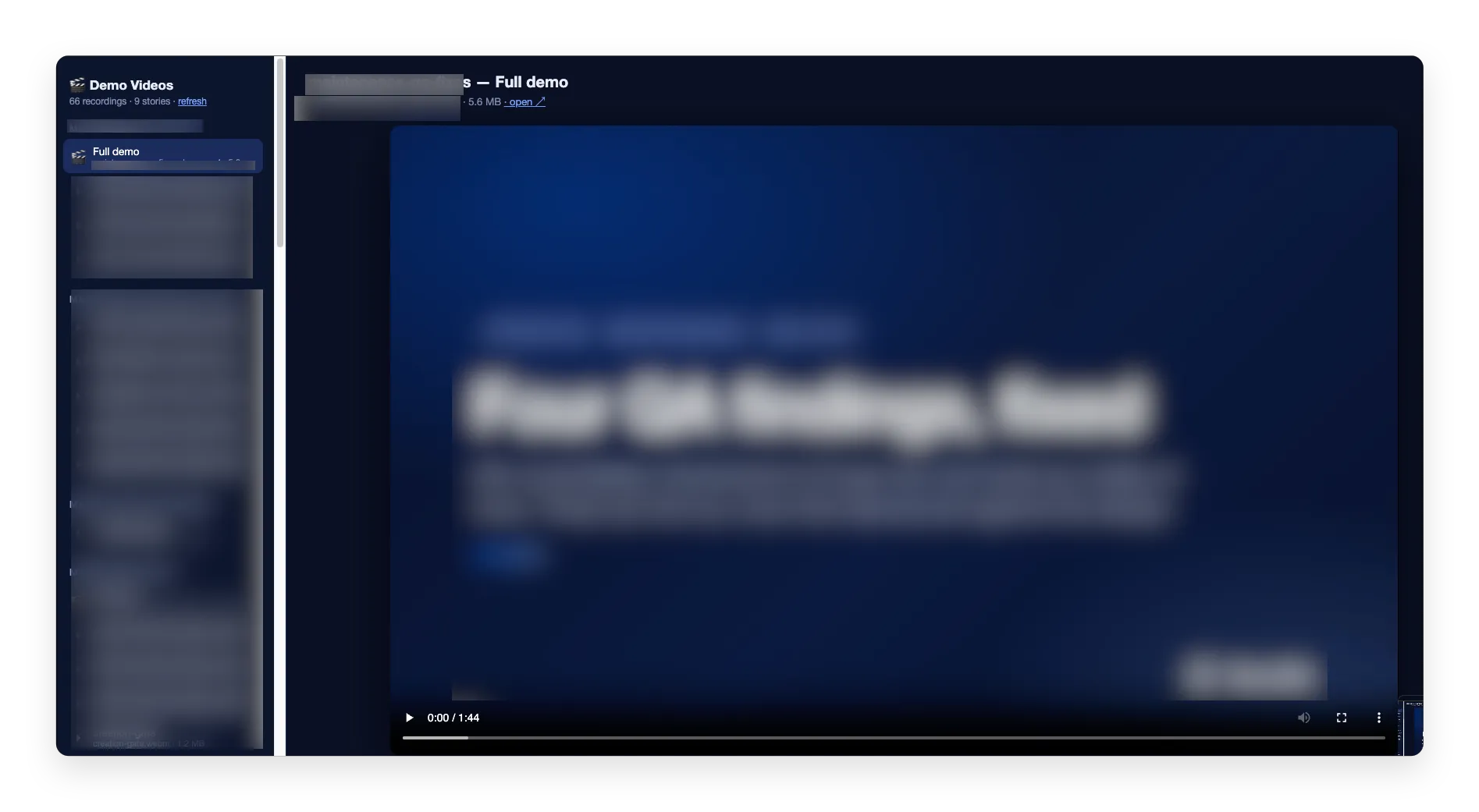
this make things easier to review, I actually want to automatically attach to PR but I think runnning this on every push on CI will be too costly for me.
Doing Frontend at scale still damn hard to automate
if you read my rough edge in FE from last year, a lot of thing has been fixed, last year I don’t even think about having a video demo
but I do still feel how AI interact with design tool like Figma and custom design tool still clunky.
It is not as often to produce weird things like not following props in the Design System, even I think “Working with design system” part already fully solved. but when you add design tool like Figma even when I gave it figma often I hallucinate like not building correct layout, missing a wording, or even in some rare case build thing that is not even in Figma.
I know that nowaday there is Figma Code Connect. but AFAIK it only open to organization plan which is very pricy.
I heard that paper.design is actually good. but I haven’t tried and my company already use Figma.
guardrails
building e2e is cheap now that code is also cheap. really, just build a lot integration and e2e test.
Good Primitives matters
I was inspired a lot by David Mosher’s post, Deterministic Core, Agentic Shell.
In the age of agentic era, we should be building a good primitives a lot of it, in a very high quality. Primitives are the building block that we can use to build up our software.
examples are like Diffs and Trees by @pierrecomputer.
those library are really cool. you can see here that diffs.com can even handle opening 30M+ diffs from comparing linux v6 and v7 https://diffshub.com/torvalds/linux/compare/v6.0…v7.0 and it is so damn fast. the author write aout it here https://pierre.computer/writing/on-rendering-diffs
without those 2 library, I won’t be able to efficiently build DiffDash. because I really on it a lot for DiffDash to be able to open large diffs.
now this matters on a company level as well. now it become matters to actually think in Primitives. what Primitives your company have? and how good is it?
One example is, it is now become more matters to have and build Design System. instead of just styling the code inline with tailwind to customize style. Having a good and consistent design system matters a lot so Agent can build a consistent look. I mention earlier about Figma, even when in case it randomly create wrong layout or adding things it is not asked, the look actually still consistent. it just somehow cannot yet effectively understand Figma, but when it does be able to in the future, having good design system become more more important.
luckily sometime good generic primitives can be outsourced. like for Fetching Library we can use SWR / Tanstack Query. Nuqs for URL state. etc. Building good primitives really took an expertise. like if you read pierre article above, you would know he does have knowledge about virtualization. that is why, even code is cheap, relying on good open source software is still the way to go. trust me, building good primitives is hard.
but there are time where we need to build a primitives for our company that is only be used by our company like when it tied to a bussiness logic. for working on such pieces I’d suggest you to read and understand the code.
if you think about my Demo framework earlier, this is the same reason why I create Demo Framework, it is a Primitive to build demo, so the Demo AI generate become consistent like always having cursor, having a cover, etc.
so with these primitives we can do what called Deterministic Core, Agentic Shell. our cores are so good and deterministic that we can let the agent run wild to build its outer layer. for example if you have a good Form system, everyime you let agent run wild to work on a page that has form, you don’t need to sweat it anymore.
Build an Environment Where it Safe and Easy to Experiment things
all of the step above like having good demo, having a preview environment in PR, guardrails, etc. is actually about making it safe and easy for the team to do experiment things and trying out a throwaway idea
Welcoming Herdr and Saying my Goodbye to tmux
I’ve been stuck to tmux + neovim since 2019. even when I already transition into an agentic workflow I mostly still use tmux. since I have a lot of plugin, keybinds etc for tmux and neovim, I really hesitant to change
I actually been intrigued for an agent orchestrator. like cmux, supacode, etc. but I actually don’t like that it has to be a Desktop app. my issue is all of my thing already in terminal, I want to work from the terminal. what I don’t like is like running opencode TUI or Claude Code in those desktop orchestrator make it look non consistent with how the rest of app look
oh and I am not yet convinced by non-terminal orchestrator like Codex App or T3 Code. because again, even when it offer a separate terminal window, when I open neovim or the terminal itself, the look is not consistent
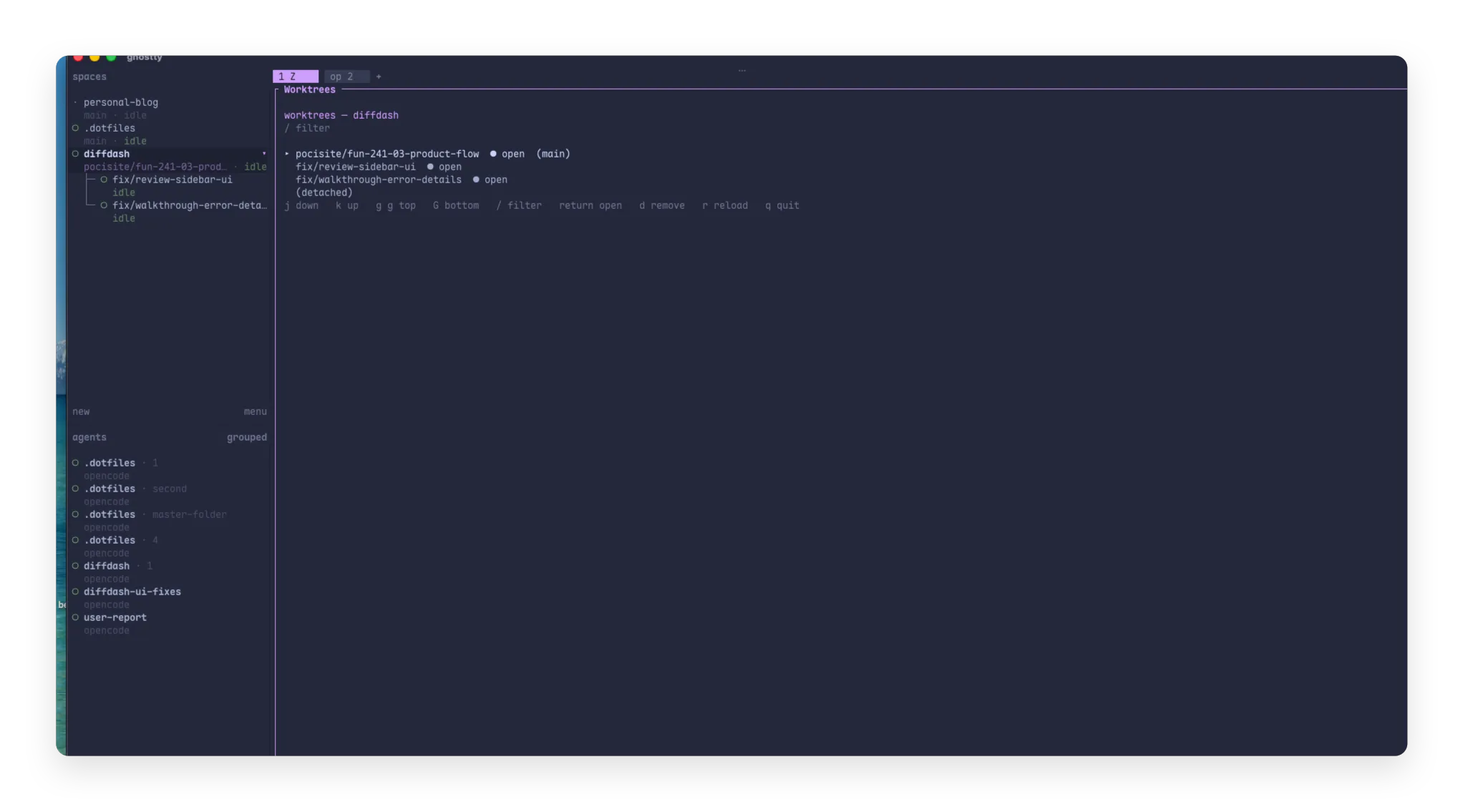
to know what I am talking about hew how my workspace in herdr look
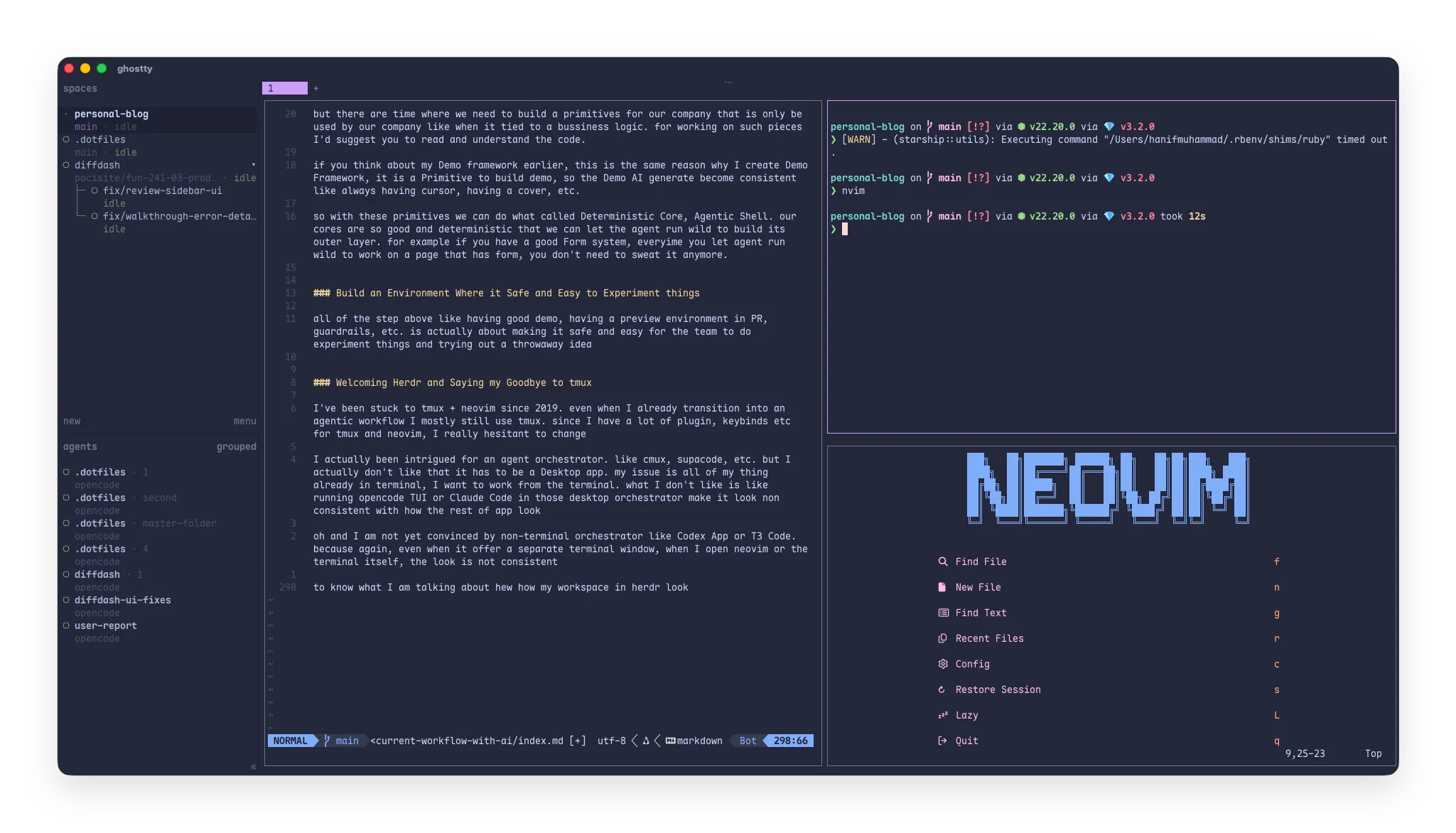
see, I don’t know about you, but I feel it looks like beautiful and consistent
I actually doesn’t convinced about herdr until I watch the https://x.com/dillon_mulroy podcast
I see his workflow and there is part which basically says he asked GPT to move all his neovim aand tmux config and make the experience same in herdr.
and there where it clicked to me that well, why not I do the same. I now move to herdr and that guy is my hero
the one thing that I really like about herdr that can’t be done nicely in tmux is that I can just right click to add a worktree…
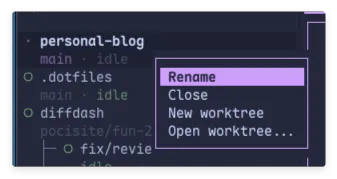
overall now I am a converted happy herdr user.
Bullish on small PR and GH stack
sometime in this agentic era we forget the wonder of small PR. turns out, no surprise, small PR is easier for agent to review.
it is also easy for agent to be more accurate when getting design from Figma if it is small enough.
the newly released GitHub stacked pull requests make it easy to produce a stacked diff. and it also has great agent skill
Build custom tools lots of it
with Agent it is easy to build and extend the tool. one thing I like about herdr is how easy it is to extend.
So since I bullish on working with GH stack and I do worktree, I create a plugin in herdr to be able to switch, search and delete worktree from current active project
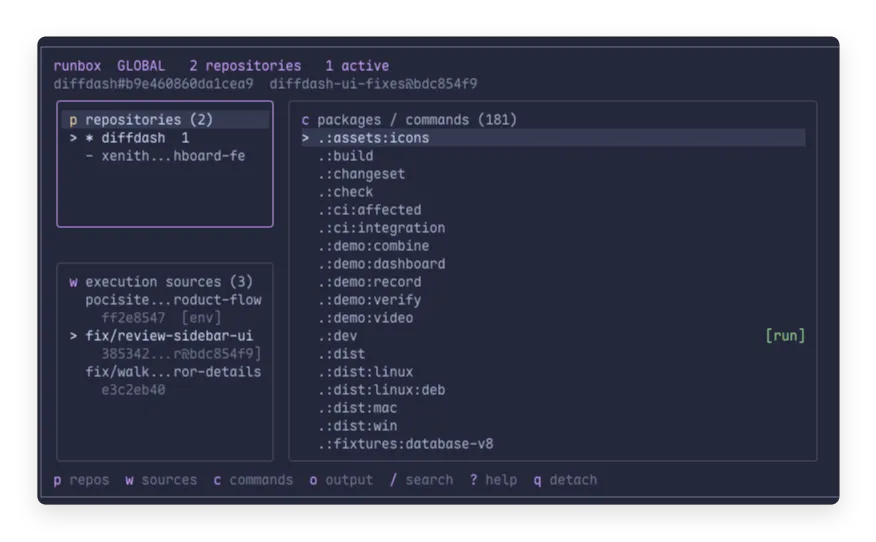
I also build a thing one I called Runbox I won’t talk detail about it since I think it deserve separate article, but in short using runbox I can solve issue while working with worktree.
like with worktree it hard to run the app in the new worktree we created. like the envs is missing, the node modules is not installed etc.
runbox can track command in the repo and run it, and I can switch the command to be run in another worktree.
it currently not solve port conflict problem because only one command can still be run at a time. but Again, like I said, that is not actually my problem since I tried to slow down. I only review one worktree at a time and this is enough for me.
yeah I think we should build more personal tools that enough for us that most likely not enough for everybody else, and that is fine.
I think those all how my workflow with AI looks. I start this article wanting to just share my workflow but seems I also wrote a lot of other thoughts I have. actually there is still lots of thing that I had in mind. but lets finished here for today, cheers!